How to Call Modules from Workflows
Modules are reusable components that contain specific workflow logic. They function as sub-workflows that you can call from a main workflow to execute a defined set of tasks. Integrating modules allows you to avoid duplicating configuration for common tasks and keeps your main workflows organized.
Modules cannot be executed independently; they must be called within a main workflow.
Add a Module to a Workflow
To use a module, you must add it to your workflow canvas and configure the necessary inputs.
- Open the Workflow where you want to call the module.
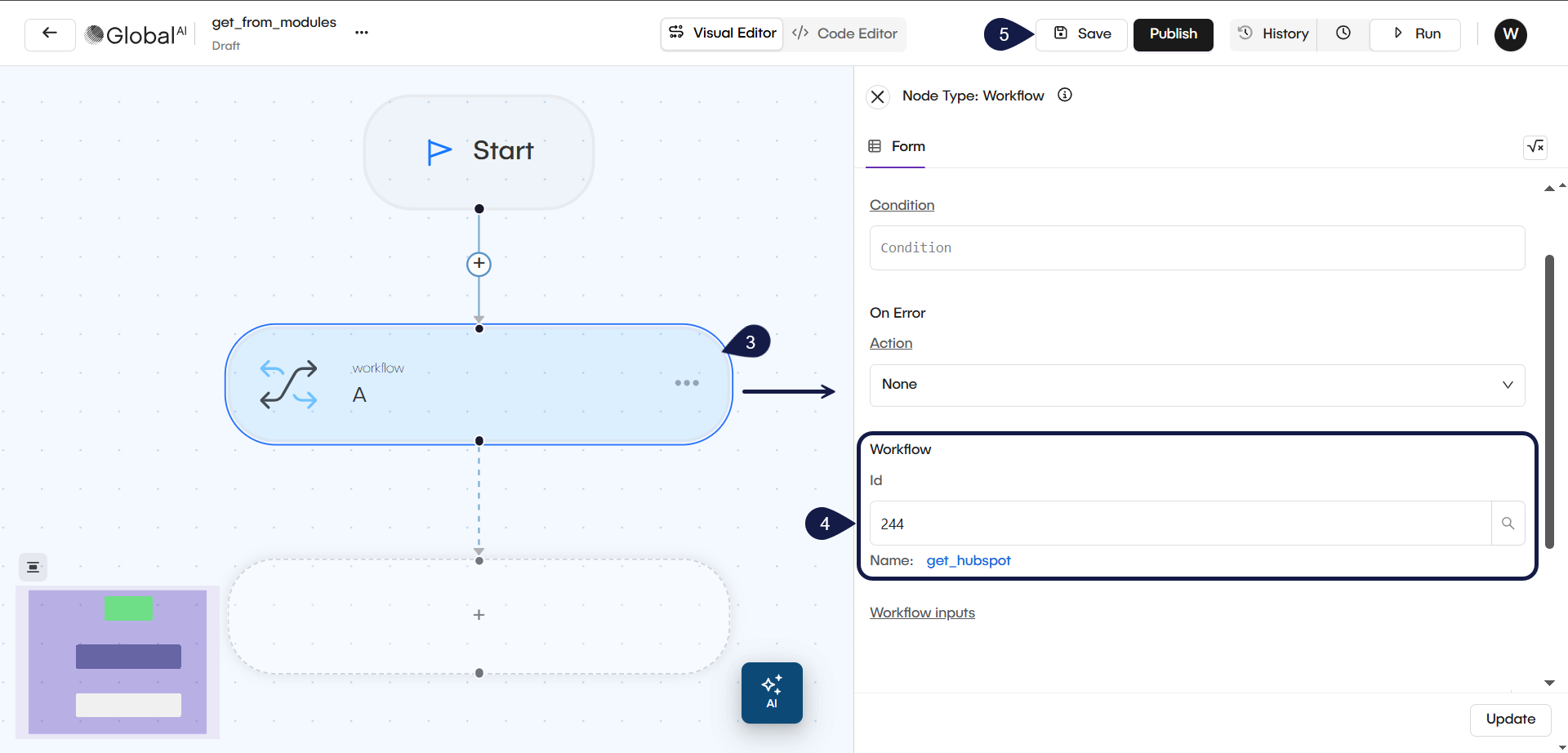
- In the workflow editor, add a new node to the canvas. Select the Workflow node type. This node is specifically designed to execute other workflow modules.
- Click the node to open the configuration panel.
- Select the specific module you wish to execute, or manually enter the Workflow ID.
- Save your workflow configuration.
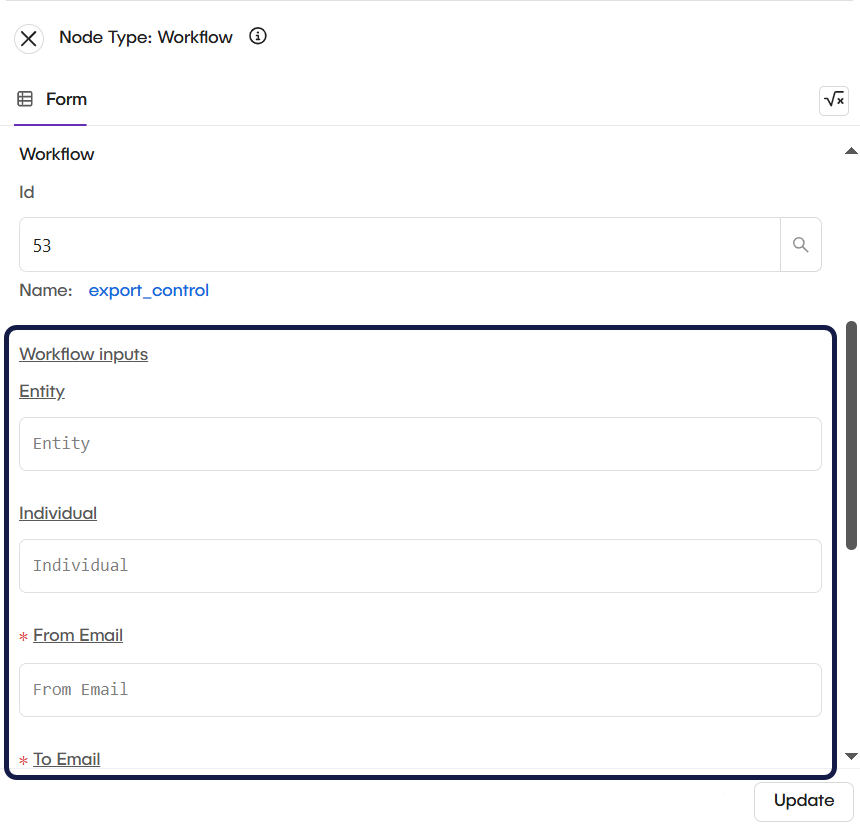
If the module has inputs defined, the configuration panel displays the required fields. Enter the values or variables for each input field to pass the required data into the module and click Update.
Related articles
Now that you know how to call a module, you can explore these related guides.
Create a Module
Build reusable workflow components to standardize logic across your projects.
How to Create a Custom Action
Learn how to create custom actions in the GlobalAI platform for reusable automation components.
How to View Automation Logs
Understand the Automation Logs feature in the Global AI platform for auditing and tracking changes within automation environments.